
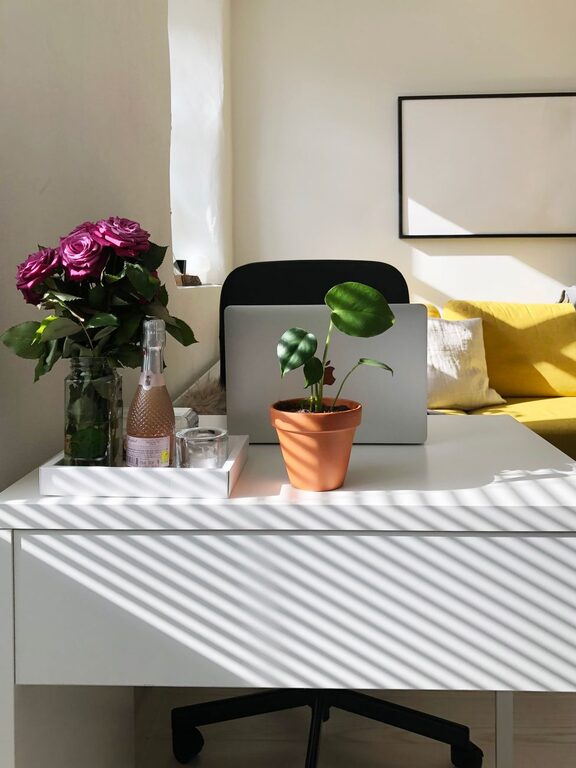
Creating a home workspace that balances comfort with productivity is essential for anyone working remotely or managing tasks from home. A relaxing environment can help reduce stress, maintain focus, and increase output. Here are several thoughtful tips to help you design a workspace that supports both your comfort and effectiveness.
Choose the Right Location
Selecting the best spot for your workspace is the first step. Ideally, pick a quiet area with minimal distractions. If possible, position your desk near a window for natural light, which can boost your mood and energy levels. Avoid high-traffic areas to maintain focus and reduce interruptions.
Invest in Ergonomic Furniture
Comfort plays a vital role in productivity. Use an ergonomic chair that supports your posture to prevent back and neck pain during long work hours. A desk at the right height will also make a difference—your elbows should form a 90-degree angle when typing or writing. Consider adjustable desks to alternate between sitting and standing.
Optimize Lighting
Good lighting reduces eye strain and keeps you alert. Natural light is best, so try to make the most of it. Supplement with adjustable desk lamps or overhead lights that provide soft, warm illumination. Avoid harsh fluorescent bulbs and glare on your screen.
Keep Your Workspace Organized
A clutter-free desk promotes a clear mind and efficient work habits. Use organizers, shelves, and drawers to store supplies and documents. Regularly declutter your desk to maintain a tidy environment. Label folders and trays for easy access and to prevent wasting time searching for items.
Personalize Your Space
Adding personal touches can make your workspace more inviting and relaxing. Include plants to bring in a bit of nature, which has been shown to reduce stress. Add photos, artwork, or meaningful objects that inspire you but don’t overcrowd the area. Keeping the color scheme soft and calming can also contribute to a soothing atmosphere.
Control Noise Levels
Noise distractions can be disruptive. If background noise is an issue, consider noise-canceling headphones or white noise machines. Playing soft instrumental music or nature sounds may also enhance focus without causing irritation.
Establish Boundaries
Separating work life from home life is crucial for mental well-being. Define your workspace clearly, even if it’s just a corner of a room. When you leave this space at the end of your workday, you signal your brain that work is done, helping you relax.
Incorporate Break Areas
If space allows, create a small nook for breaks to stretch, read, or meditate. Taking regular short breaks improves concentration and reduces fatigue. Even just stepping away from your desk for a few minutes can refresh your mind.
Use Technology Wisely
Choose reliable equipment to minimize technical frustrations. Arrange your computer, monitor, keyboard, and mouse ergonomically for ease of use. Keep cables organized and out of the way to avoid a messy look and potential accidents.
Maintain Proper Air Quality and Temperature
A well-ventilated room with fresh air makes it easier to stay alert. Use fans or air purifiers if needed, and aim for a comfortable temperature—too hot or cold can distract you from work.
Final Thoughts
Building a relaxing home workspace is about balancing practical needs with personal comfort. Small adjustments, like better lighting or ergonomic furniture, can have a big impact on your daily productivity. Remember, the goal is to create a space where you feel calm, focused, and motivated to do your best work. With these tips, your home office can become a haven of both relaxation and efficiency.